Usage

The Usage dashboard shows account-level growth and activity metrics for your Damoov project.

The Usage dashboard shows account-level growth and activity metrics for your Damoov project. Use it to monitor onboarding velocity, understand how many of your registered users are actively generating trips, and track usage trends across billing periods.

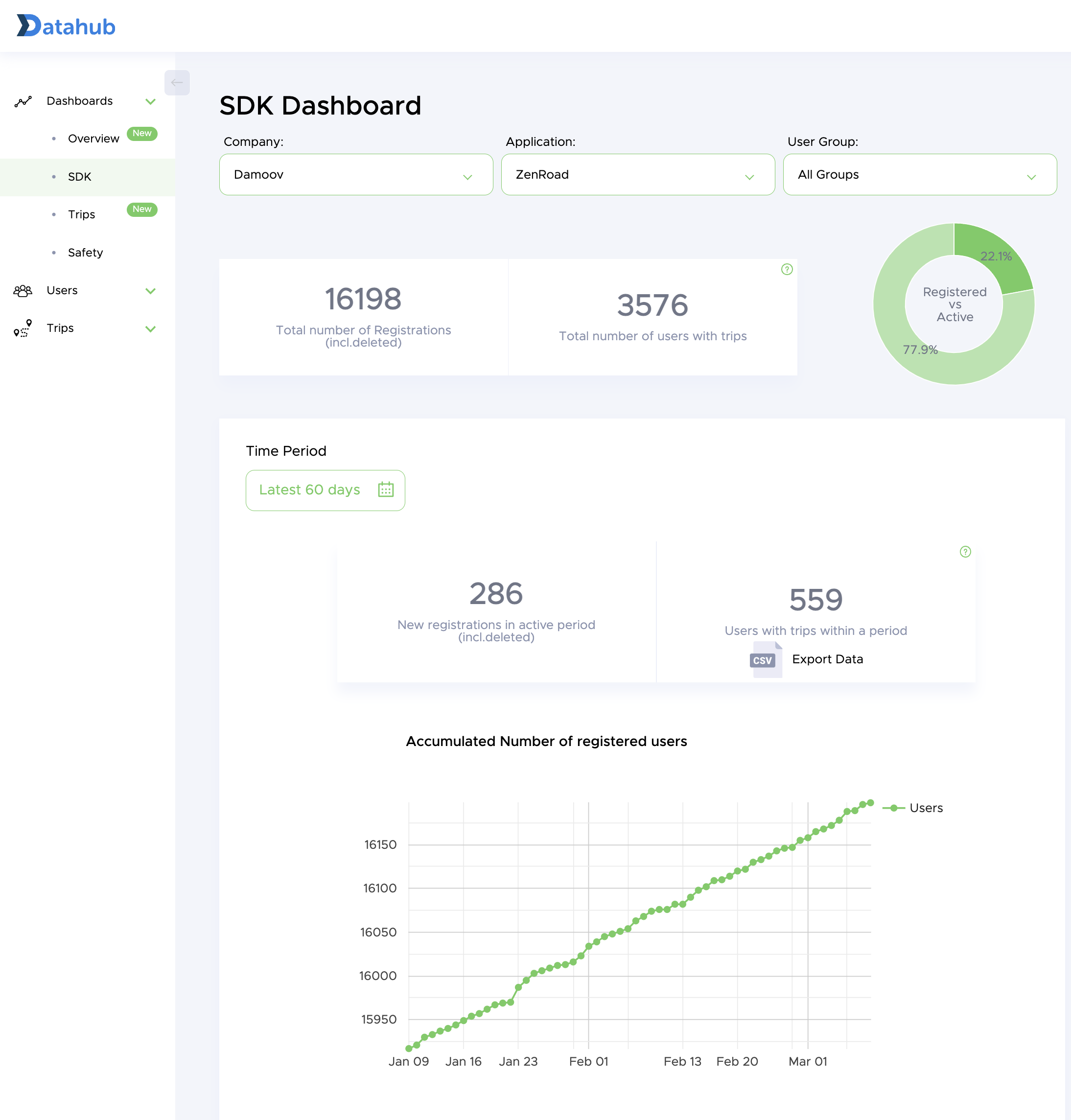
Total number of registered users

This panel shows the cumulative count of all users who have been registered in your project instance, plotted over time. It reflects every user created via the SDK or the User Management API, regardless of whether they have recorded any trips.

Use this chart to track onboarding growth and identify any drop-off periods that may correspond to app releases, marketing campaigns, or SDK integration changes.

2188

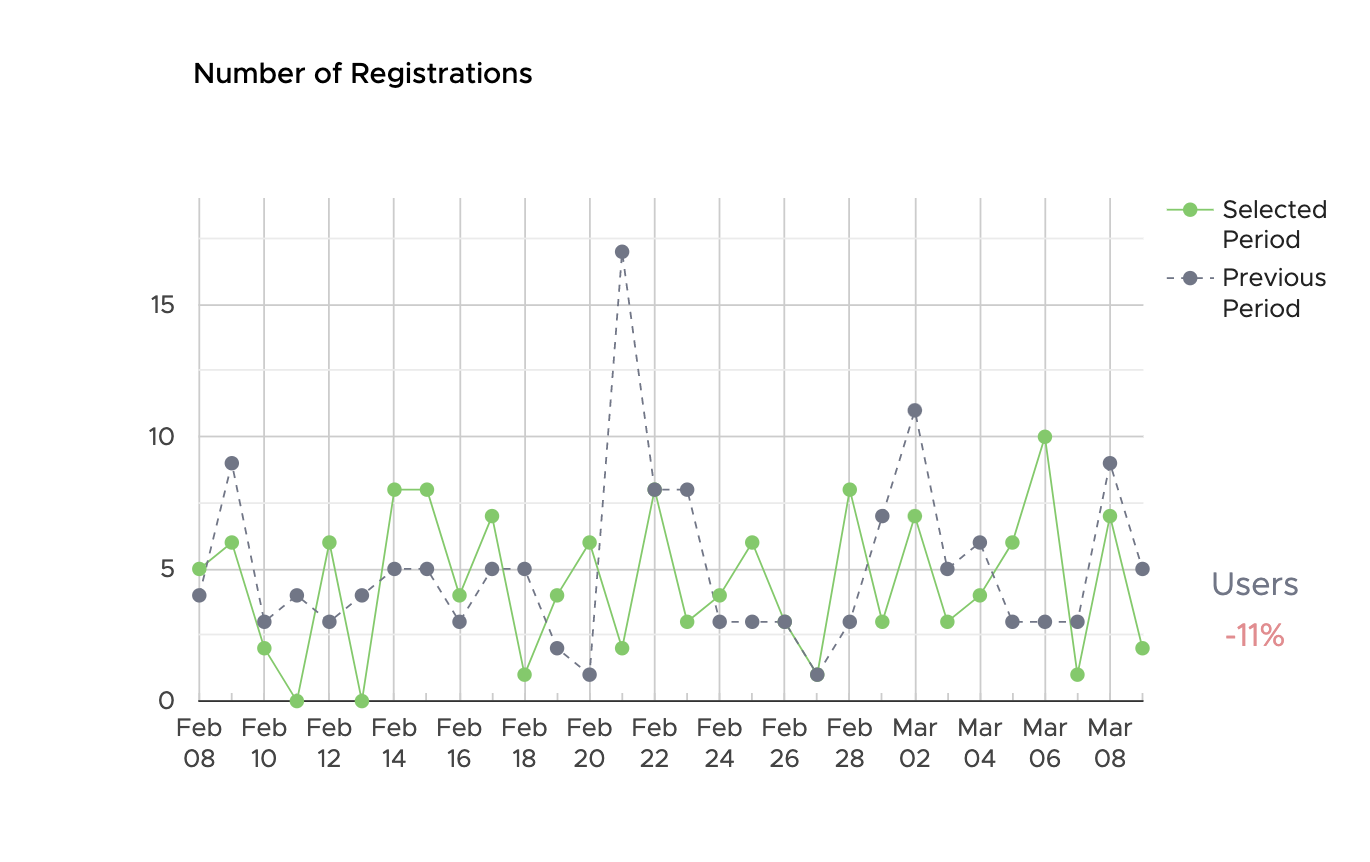
New registrations

New Registrations shows the count of users created within each time bucket (day, week, or month depending on the selected range). Unlike the cumulative total, this chart makes it easy to spot spikes or drops in new user creation — for example, a surge after a new app version goes live.

A consistent registration rate with low active-user conversion typically signals an onboarding or permissions issue. Cross-reference with the Active Users panel below.

1370

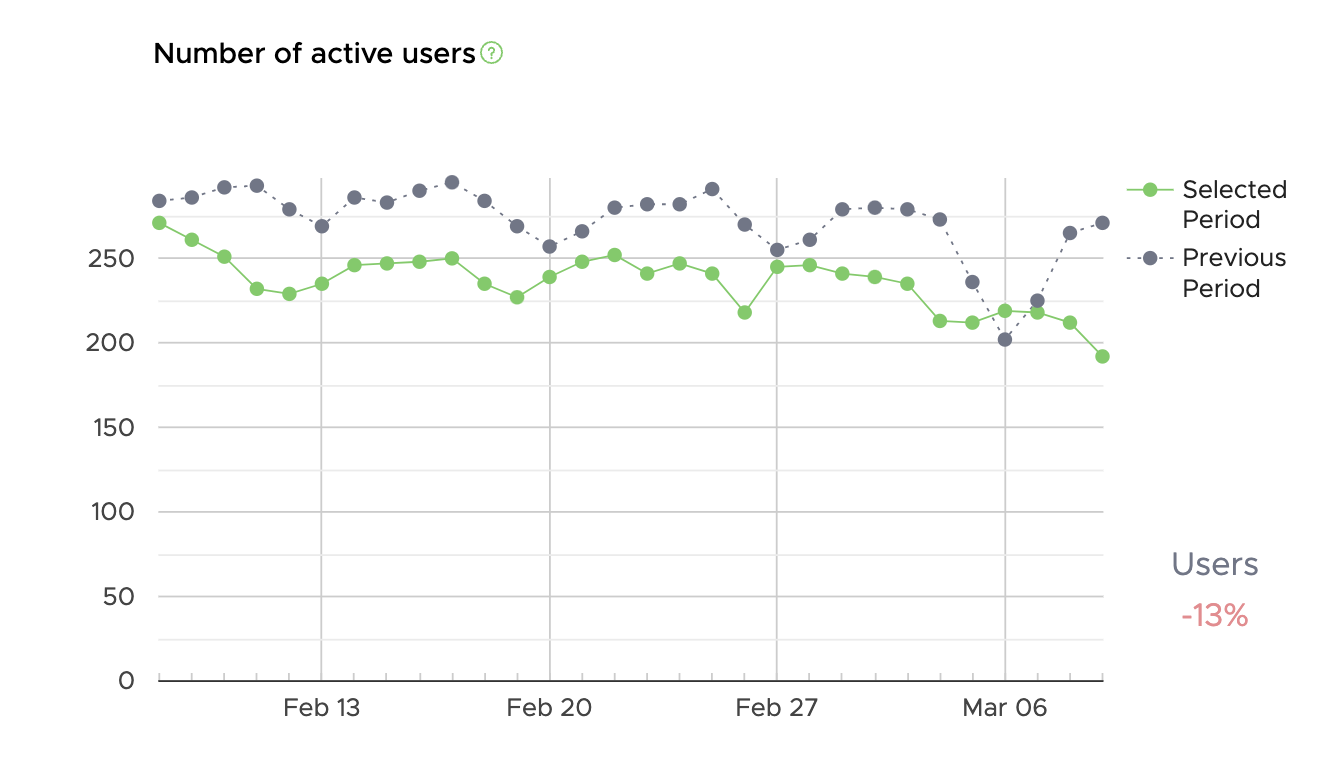
Active users

Active Users shows how many distinct users recorded at least one processed trip within the selected period. This is the most useful engagement metric: it represents the share of your user base actually generating telematics data.

The ratio of Active Users to Total Registered Users is your activation rate. A healthy SDK integration typically shows an activation rate above 60% within the first 30 days of a user registering. If your rate is significantly lower, check SDK permissions setup and background tracking configuration for the relevant platform (iOS or Android).

1330